
Updating the tracker again
Updating the Bluebird AST tracker to have more realistic-looking satellites
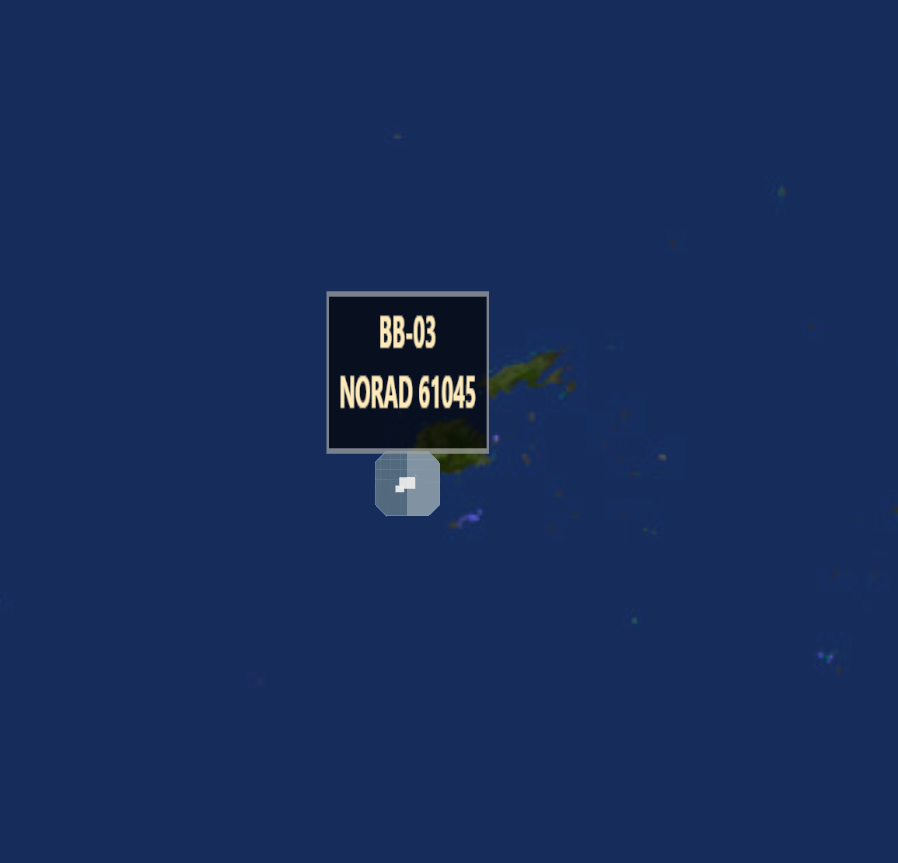
I pushed a pretty solid upgrade to my AST tracker yesterday, and it was basically driven by two things: I added BlueBird 6, and I swapped the Earth over to an 8K daymap texture. The funny part is… once the planet looked crisp, the old satellite rendering started to look way more fake. Like the Earth is high-res and the satellites are just floating pixels. So I leaned into it and made the satellites look more like satellites.
Step 1: Add BlueBird 6 and update the title (1–6)
This part was straightforward. The UI and the satellite list got updated to include BB-06:
- The title became AST SpaceMobile BlueBird 1–6
- I added BB-06 everywhere it matters:
- the satellite checkbox list
- the Track dropdown
- the
BLUEBIRDSarray in JS - the embedded fallback TLE map (so it still works even if live fetching fails)
Now, the tracker is “complete” for my purposes: BB-01 through BB-06 are all accounted for, and the controls match.
Step 2: Upgrade the Earth to an 8K texture (and why that forced the next change)
I swapped the globe texture to this 8K map:
.globeImageUrl("https://upload.wikimedia.org/wikipedia/commons/0/04/Solarsystemscope_texture_8k_earth_daymap.jpg")
And that instantly improved the whole vibe. Coastlines are cleaner, continents pop, and when you zoom in it doesn’t turn into a blurry mess.
But… it also made my satellites look worse by comparison. The Earth looked legit, and the satellites looked like dust.
So I decided: if the Earth is going to be “high detail,” the satellites need to stop being circles.
Step 3: Satellites went from “points” to actual 3D models
In the older version, satellites were rendered like this:
globe.pointsData(pts)- and each sat was just a point with:
pointRadius()based on the slider- constant color
- optional label
That’s fine for “debug mode,” but not for an 8K Earth.
So in the updated version, I changed the rendering approach entirely:
- I switched to
customLayerData() - and used
customThreeObject()/customThreeObjectUpdate()
That let me build a little Three.js “satellite-ish” object for each BlueBird:
- a solar array panel
- a small bus/body
- a subtle frame / boom
- plus a floating label that always faces the camera
This is also why Three.js is explicitly loaded now:
<script src="https://unpkg.com/[email protected]/build/three.min.js"></script>
Before, Globe.gl hid most of that complexity from me. Now I’m using the 3D layer on purpose.
Step 4: I added trails because it makes the motion feel real
Once you have 3D satellites, the next thing you notice is: their movement is fast, and your eyes lose them sometimes.
So I added trails — a short history of recent positions, and I fade the trail out as it gets older. It’s not just eye candy either; it helps you “read” the direction they’re moving.
That’s handled by:
- storing the last N positions per satellite
- updating a group of line segments each tick
- fading opacity along the trail so it tapers off
Step 5: BB-06 gets “next gen” treatment
Since BB-06 is the one I just added, I also gave it a visual difference: a larger solar array. It’s not meant to be a perfect real-world model, it’s basically a visual hint so you can immediately tell “that one’s different.”
In my code I treat NORAD 67232 as next-gen and scale the panel up.
Step 6: The size slider was redone because it’s no longer a dot size
The old slider was tuned for points (tiny numbers). Now the slider is “satellite size,” and it scales a 3D object instead of a dot radius so the range got bumped up and I translate it into a usable 3D scale factor.
Step 7: I did small UI cleanup to make it nicer on mobile
While I was in there, I cleaned up the HUD so it feels less like a debug panel and more like a UI:
- added a top bar with a Panel collapse button
- added a Full fullscreen button
- made collapse state persist
- adjusted mobile spacing so the Earth shows more without the HUD sitting on it